Published
- 6 min read
Enterprise File Server to SharePoint Online Migration
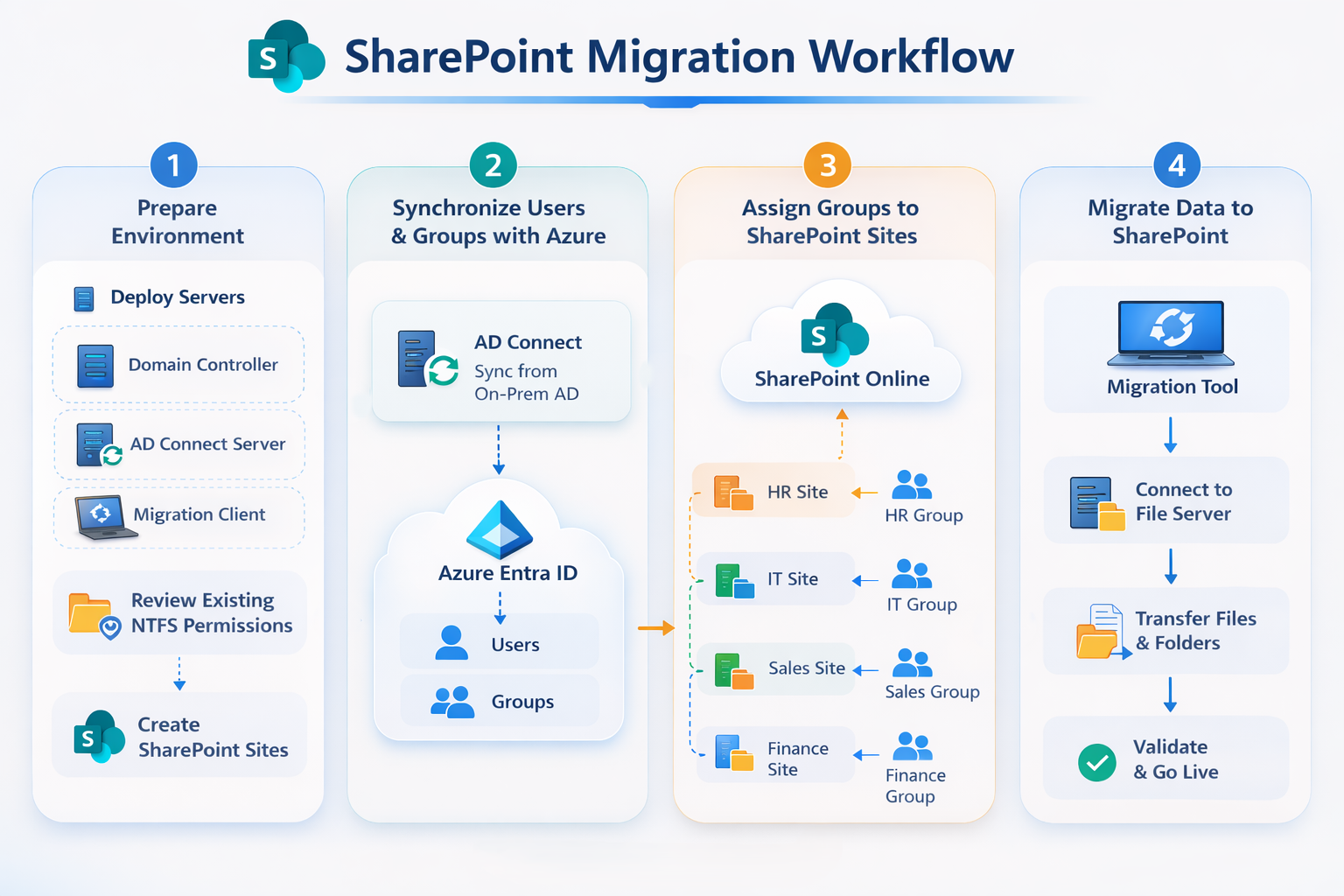
1 Executive Summary
This project simulates a common enterprise scenario: migrating an on-premises Windows file server to SharePoint Online while maintaining identity synchronization and access control.
Many organizations historically rely on SMB file shares combined with NTFS permissions to store departmental data. As companies adopt Microsoft 365, these legacy file servers must be migrated to SharePoint Online document libraries or Microsoft Teams storage.
This lab recreates a simplified enterprise infrastructure using a hybrid identity architecture. The project demonstrates how to:
• design a domain-based identity infrastructure
• implement group-based access control
• deploy a departmental file server architecture
• synchronize on-premises identities with Microsoft Entra ID
• migrate data to SharePoint Online using Microsoft migration tools
• validate identity and permission mapping after migration
The entire environment runs inside a virtualized infrastructure and documents the process from infrastructure deployment to migration validation.
This project demonstrates how traditional Windows file servers can be modernized into a cloud-based collaboration platform while preserving identity and access control models.
2 Project Objectives
The primary objectives of this lab are divided into three areas.
Infrastructure Objectives
• deploy a multi-server Windows domain environment
• implement centralized identity management using Active Directory
• create department-based security groups
• deploy a Windows file server with NTFS permissions
Hybrid Identity Objectives
• integrate on-premises Active Directory with Microsoft Entra ID
• synchronize users and groups to the cloud directory
• validate identity mapping across environments
Migration Objectives
• analyze existing file share architecture
• prepare SharePoint Online document libraries
• migrate file server data using SharePoint Migration Tool (SPMT)
• validate user access after migration
3 Architecture Overview
The lab simulates a hybrid enterprise infrastructure consisting of multiple layers.
Core architecture layers:
Infrastructure Layer
Identity Layer
File Storage Layer
Cloud Integration Layer
Migration Layer
Architecture
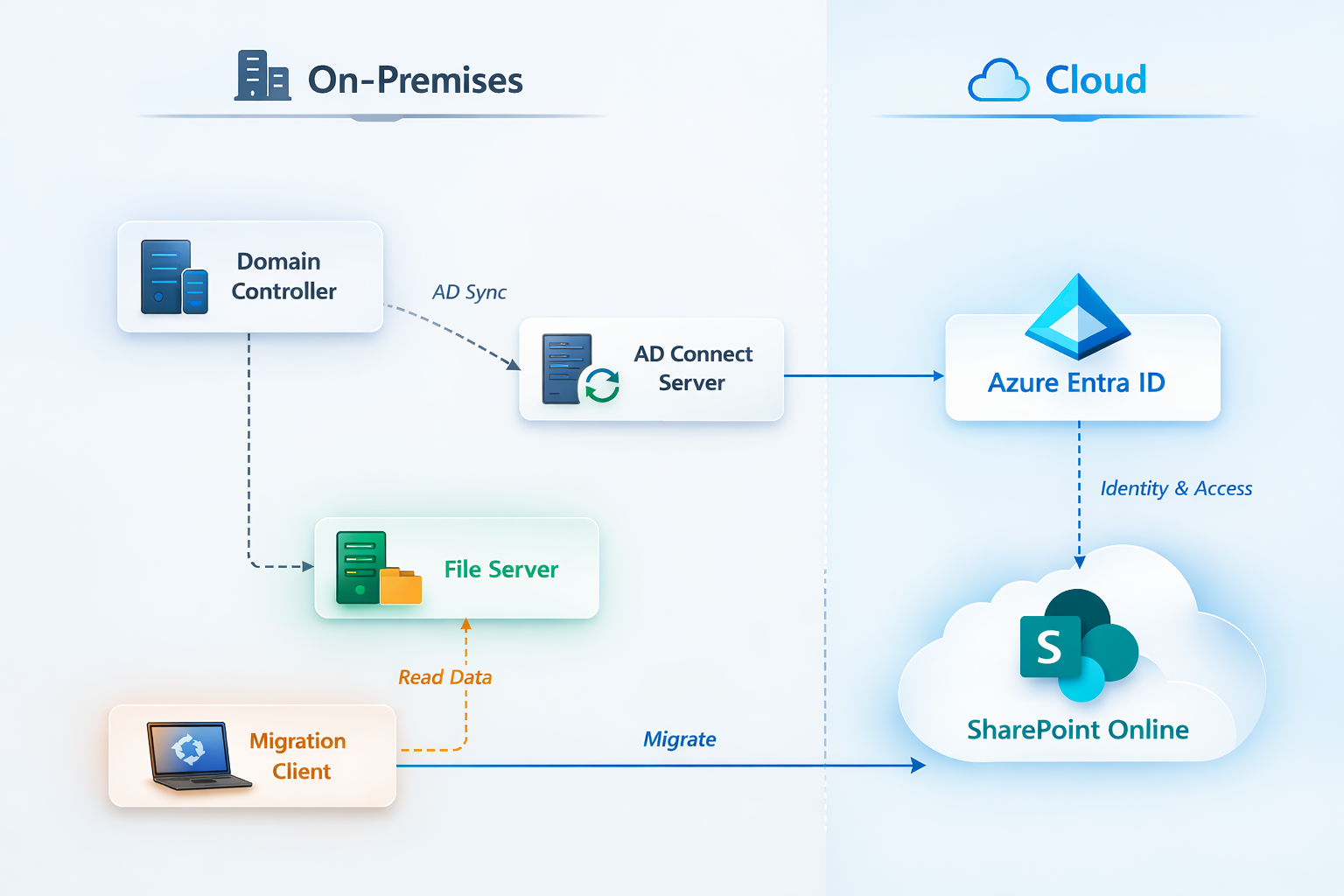 Figure1 Architecture
4 Lab Environment
Virtualization Platform
The entire lab runs inside Proxmox VE, which hosts multiple Windows Server virtual machines used to simulate an enterprise environment.
Network segment:
192.168.20.0/24
Virtual Machine Inventory
| Server | Role | IP |
|---|---|---|
| server2019-domain | Domain Controller | 192.168.20.101 |
| server2019-exchange1 | Additional infrastructure VM | 192.168.20.102 |
| server2019-AD-Con | Microsoft Entra Connect | 192.168.20.103 |
| server2019-filestorage | File Server | 192.168.20.104 |
| win10-client | Domain workstation | DHCP |
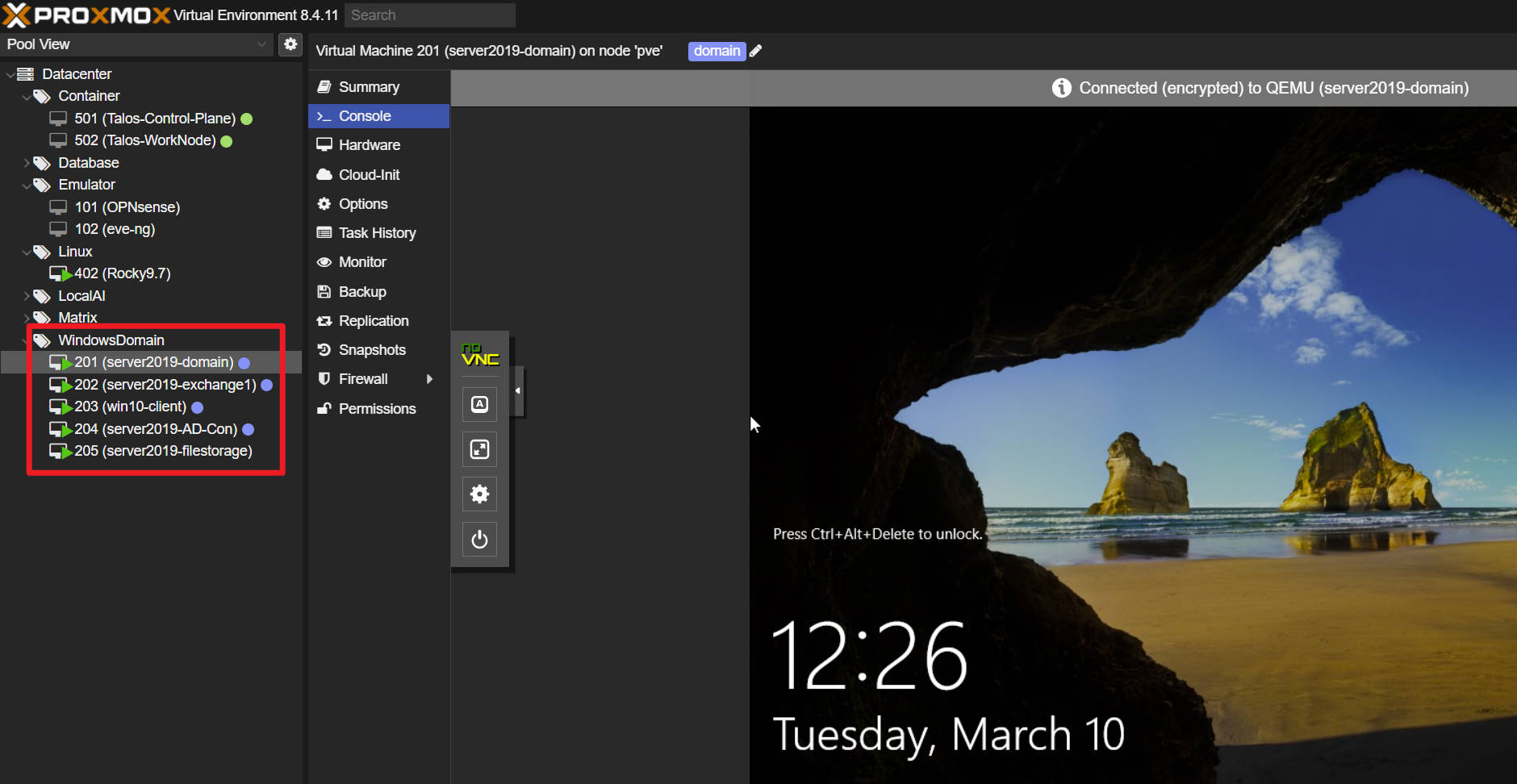 Figure2 Virtual Machines
Domain name
nortant.local
Azure tenant
cooperhomelab.onmicrosoft.com
5 Identity Infrastructure (Active Directory)
Active Directory provides centralized authentication and identity management.
Services hosted on the domain controller:
• Active Directory Domain Services
• DNS
• DHCP
These services support authentication, name resolution, and network configuration across the lab environment.
User Accounts
User accounts simulate employees from different departments.
Example users:
david.it
lisa.hr
michael.finance
sarah.management
kevin.operations
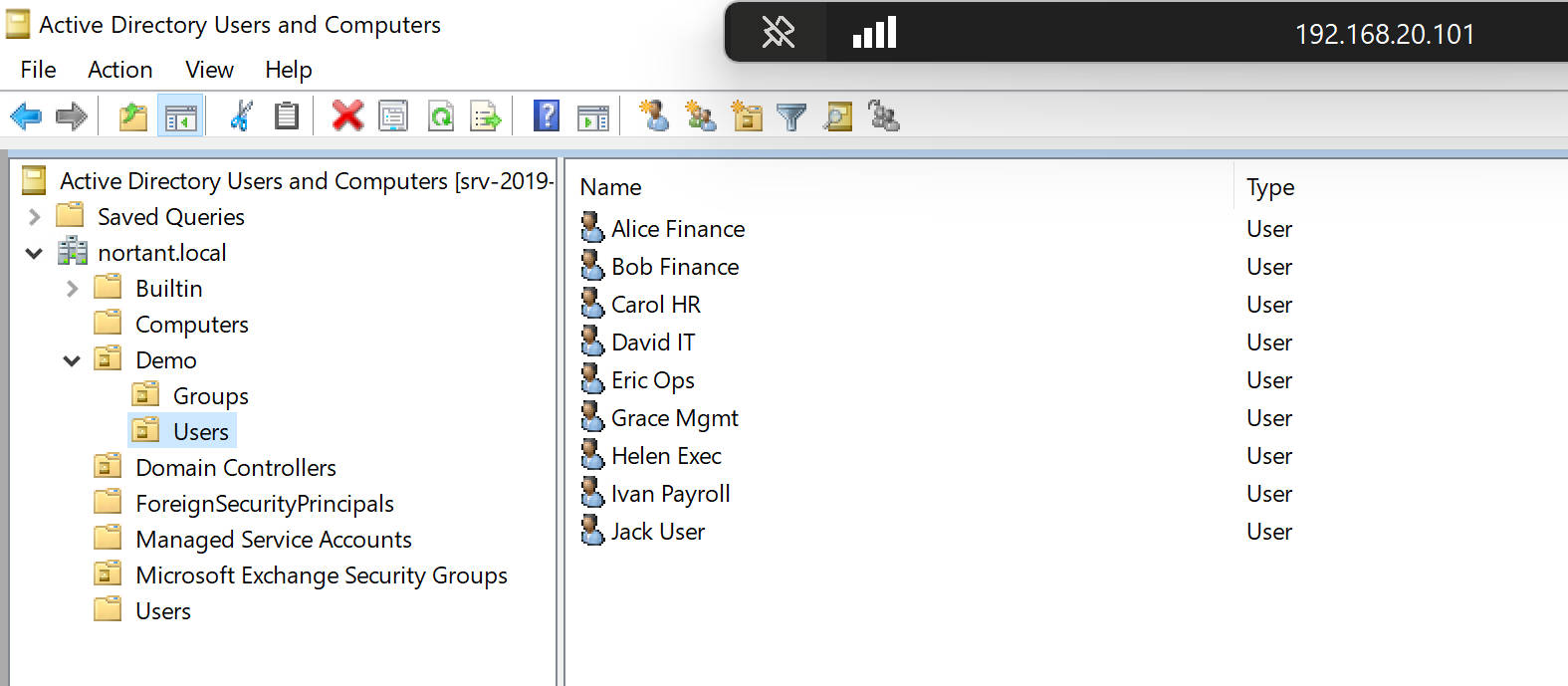 Figure3 Local Users in DC
Security Group Strategy
Access control follows a group-based permission model, which is considered best practice in enterprise environments.
Security groups created:
GG_IT_RW
GG_HR_RW
GG_Finance_RW
GG_Management_RW
GG_Operations_RW
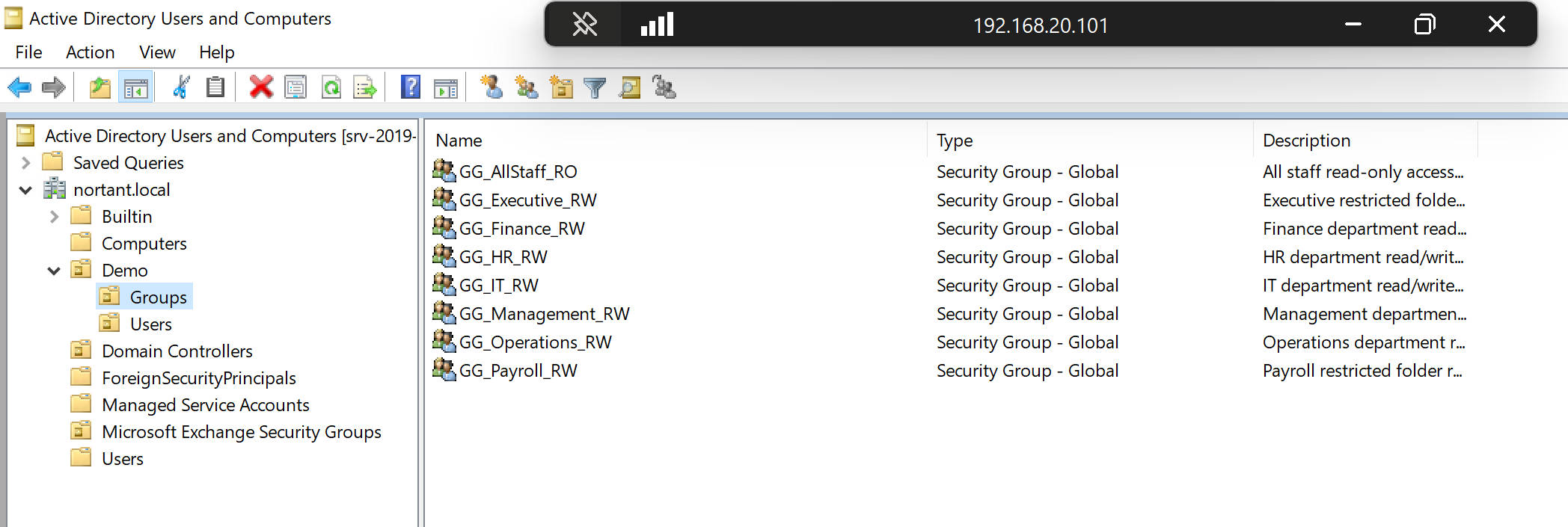 Figure4 Local Groups in DC
Permission model:
User
   ↓
Security Group
   ↓
Resource Permission
This design simplifies administration and improves scalability.
6 File Server Architecture
A dedicated Windows Server hosts the enterprise file storage system.
Server:
server2019-filestorage
192.168.20.104
Primary SMB share:
\\srv-2019-file1\CorpData
Directory Structure
CorpData
├ Archive
├ Projects
├ Shared
├ Users
├ Restricted
└ Departments
    ├ Finance
    ├ HR
    ├ IT
    ├ Management
    └ Operations
The Departments directory represents typical enterprise departmental file storage.
7 NTFS Permission Model
The file server uses both share permissions and NTFS permissions.
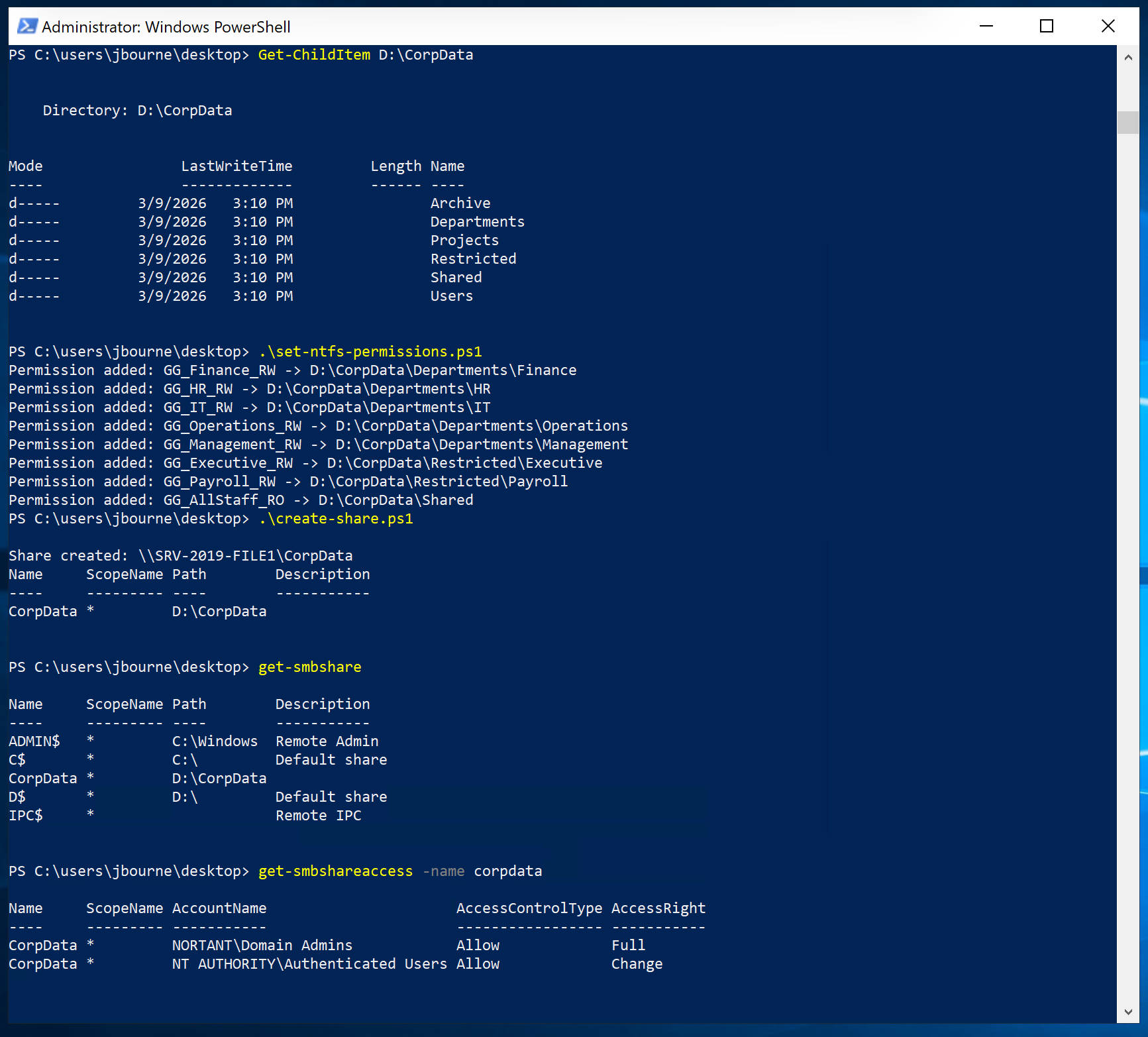 Figure5 Setting permissions by using PowerShell script
Share Permissions
Authenticated Users → Change
Administrators → Full Control
NTFS Permissions
Permissions are assigned to security groups instead of individual users.
Example configuration:
Finance folder
GG_Finance_RW → Modify
Administrators → Full Control
SYSTEM → Full Control
Each department folder follows the same pattern.
Access-Based Enumeration
Access-Based Enumeration (ABE) was enabled.
ABE ensures users only see folders they have permission to access.
Example:
| User | Visible Folder |
|---|---|
| Finance user | Finance |
| HR user | HR |
8 Hybrid Identity Integration
To integrate on-premises identities with Microsoft 365, Microsoft Entra Connect was deployed.
Server:
server2019-AD-Con
192.168.20.103
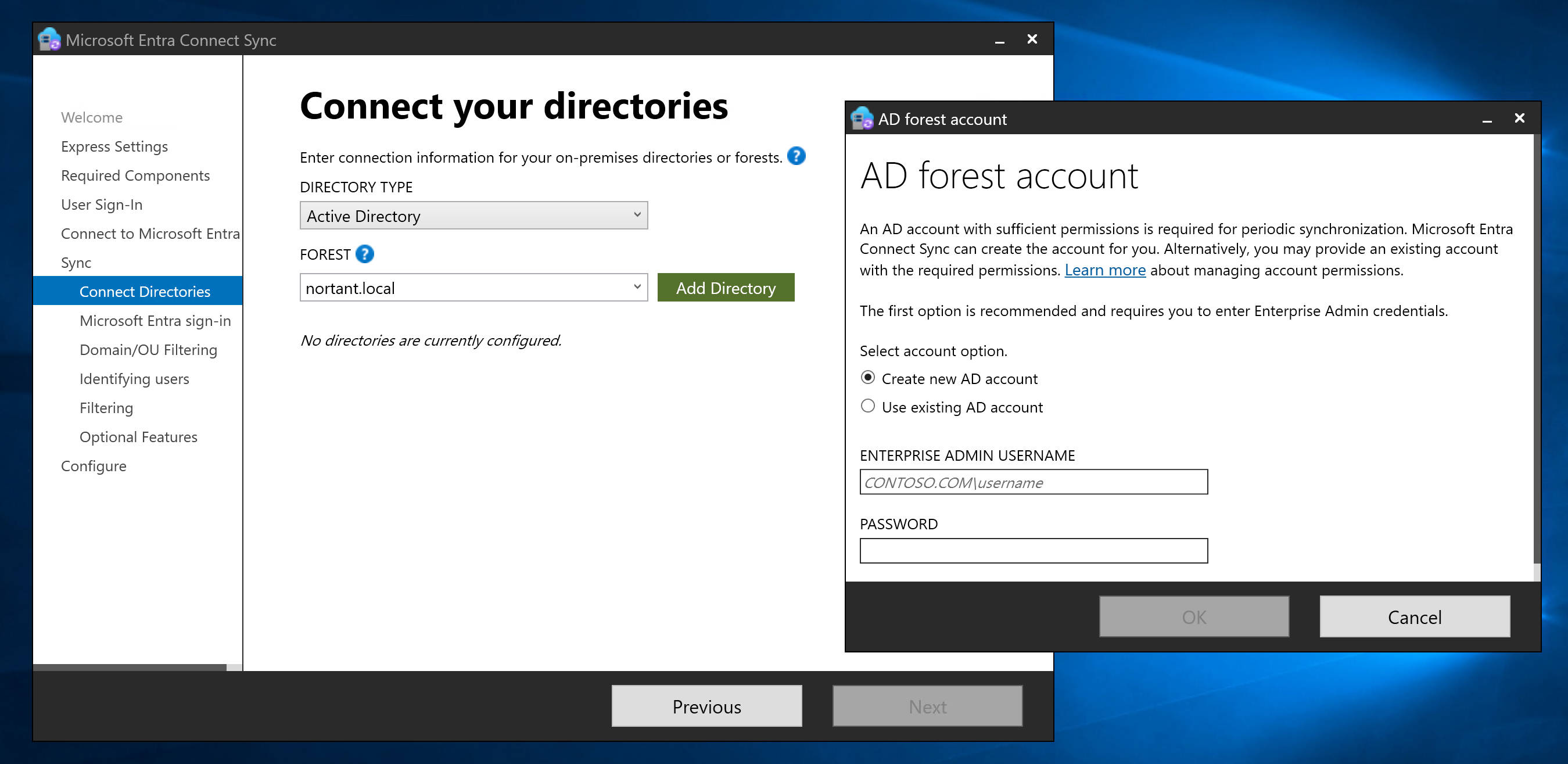 Figure6 Connect Sync settings
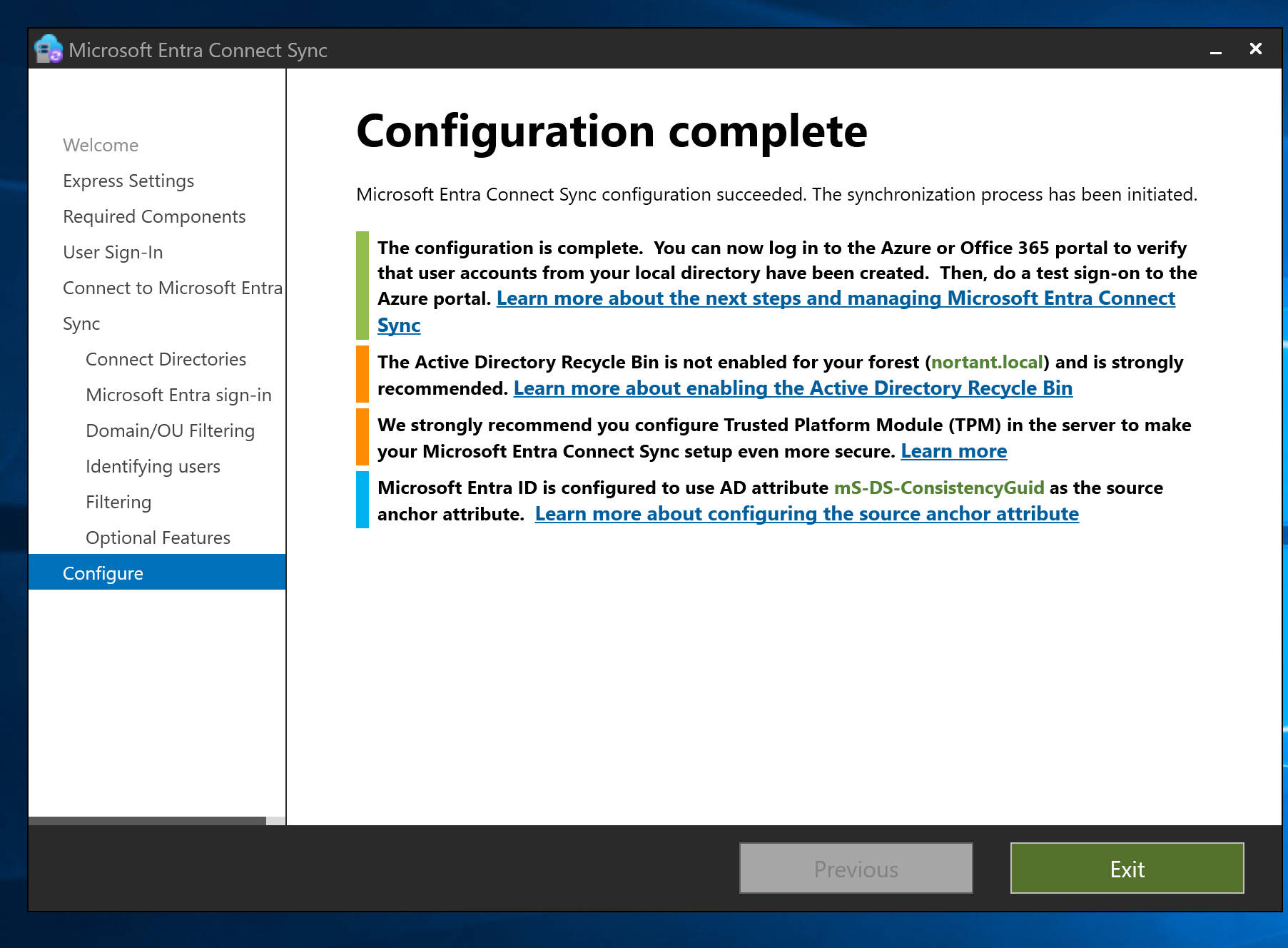 Figure7 Connect Sync settings
Synchronization Method
The synchronization method used is:
Password Hash Synchronization
This allows users to authenticate to Microsoft 365 services using their Active Directory credentials.
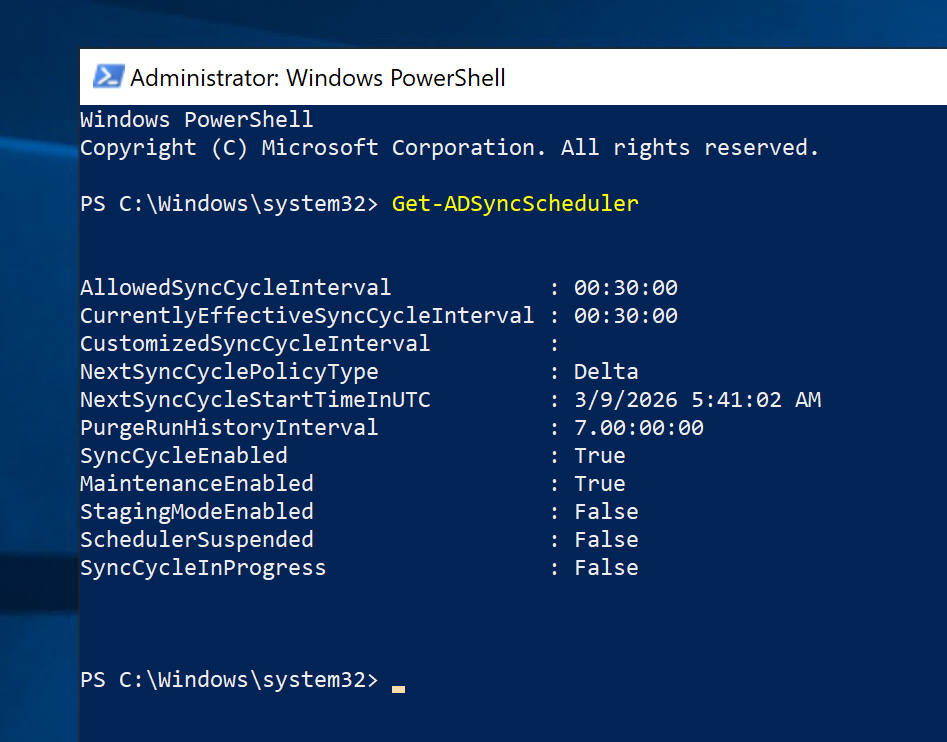 Figure8 Synchronization Method (30 mins)
Identity Synchronization Flow
Active Directory
       │
       │ Entra Connect
       ▼
Microsoft Entra ID
       │
       ▼
SharePoint Online
Sync Validation
Users and groups appear in Microsoft Entra ID with identity source:
Windows Server AD
This confirms successful hybrid identity integration.
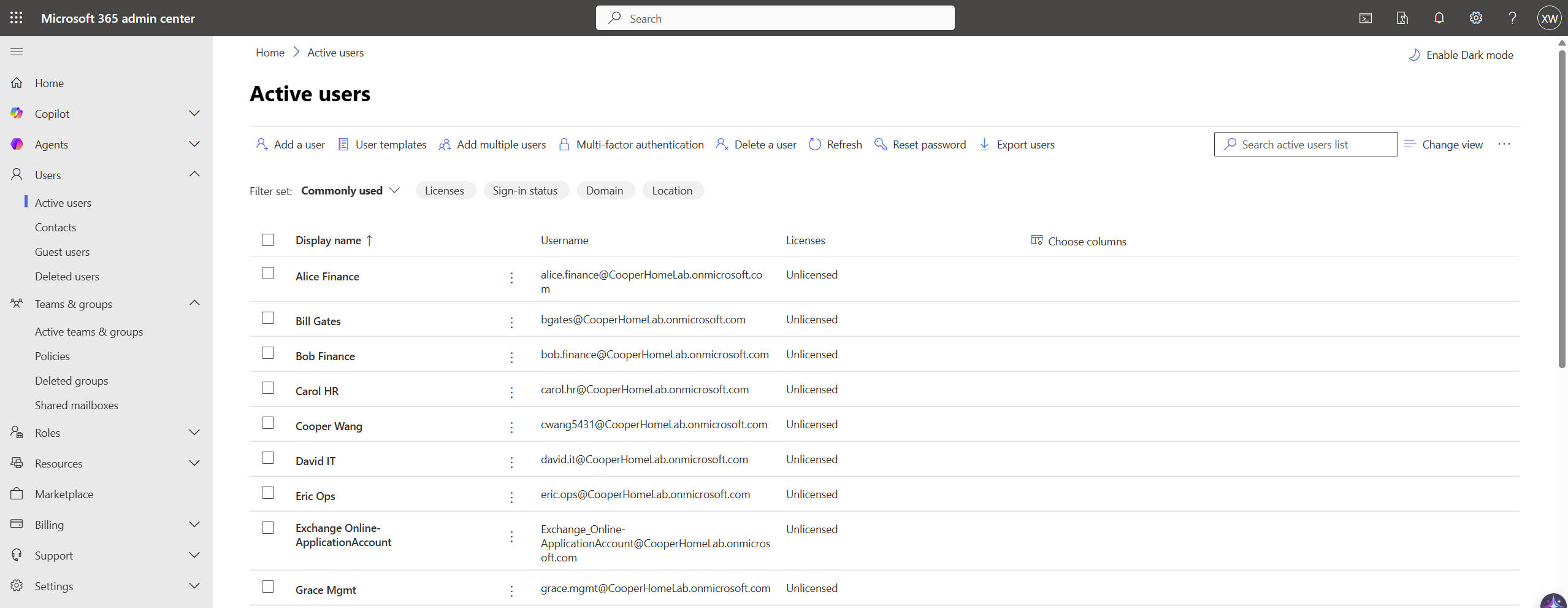 Figure9 Synced users in Azure
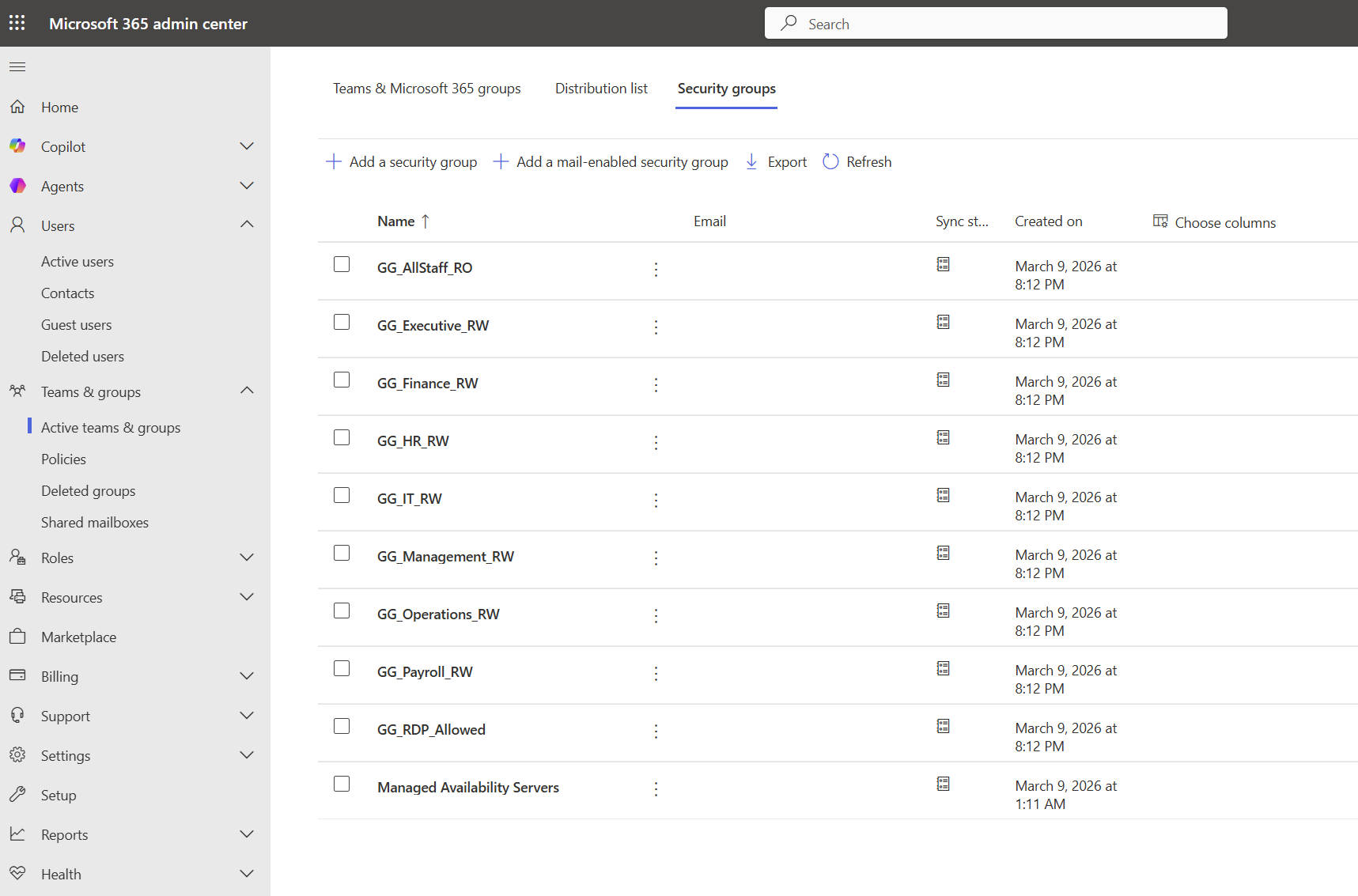 Figure10 Synced groups in Azure
9 SharePoint Online Architecture
Before migration, SharePoint Online must be prepared.
Tenant:
cooperhomelab.onmicrosoft.com
Site Structure
SharePoint sites were created for each department.
SharePoint Online
├ Finance Site
├ HR Site
├ IT Site
├ Management Site
└ Operations Site
Each site contains a Documents library used to store migrated files.
SharePoint Permission Model
SharePoint permissions follow the standard group model.
Example:
Finance Owners
Finance Members
Finance Visitors
Synchronized Active Directory groups are added into these SharePoint groups.
This design prevents excessive unique permissions, improving SharePoint performance and manageability.
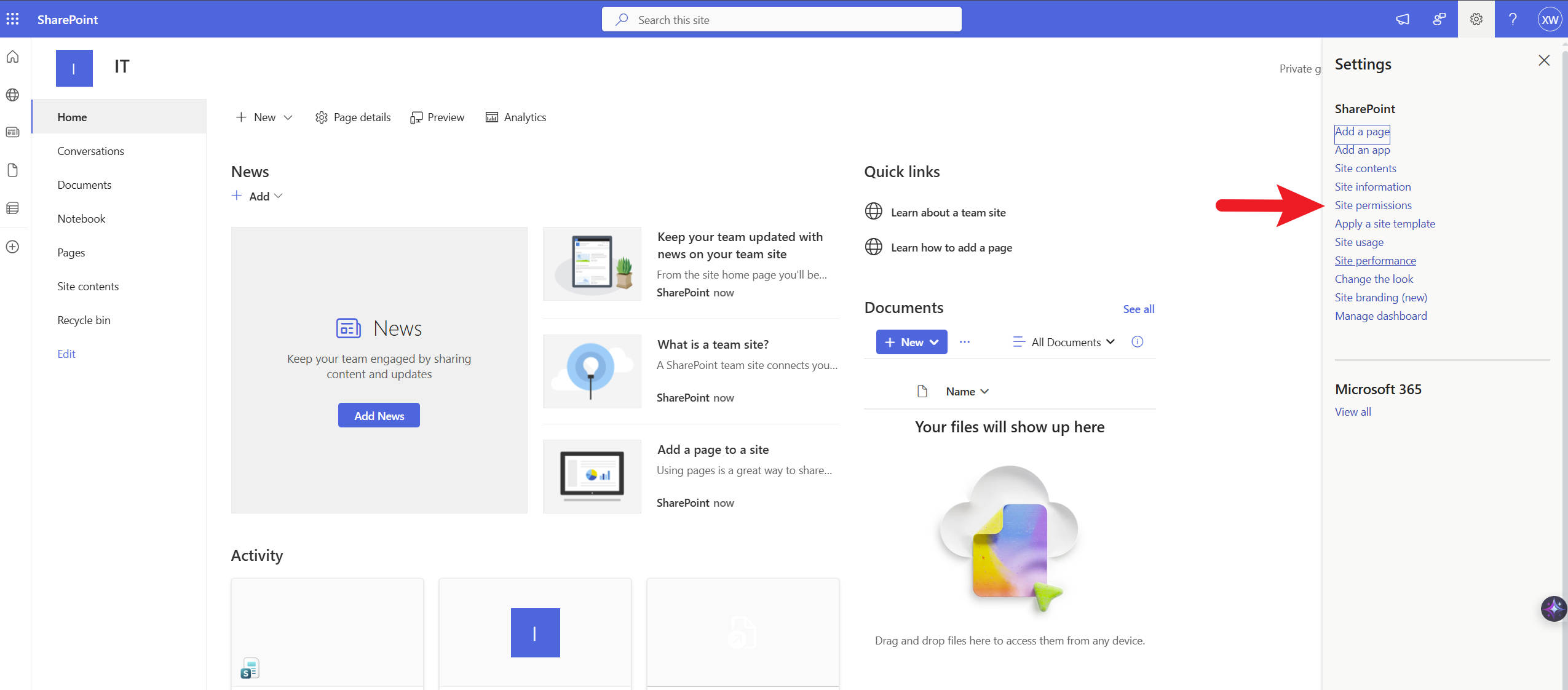 Figure11 Site permissions
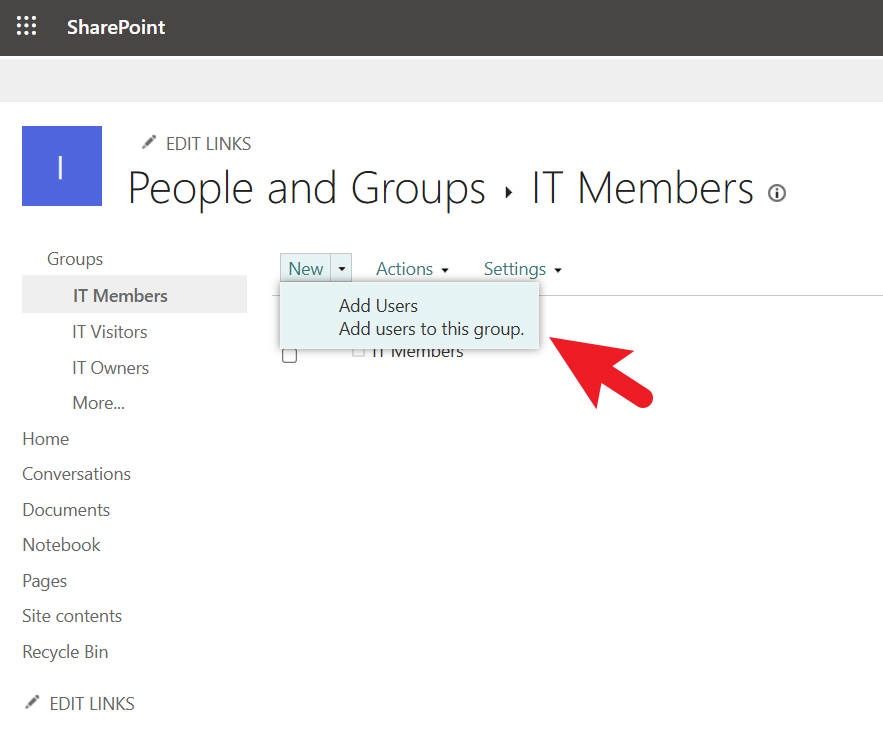 Figure12 Adding Azure groups to site
10 Pre-Migration Assessment
Before executing migration jobs, the source environment was analyzed.
The following checks were performed:
• verification of NTFS permission structure
• confirmation of Entra ID synchronization
• validation of SharePoint site preparation
• testing access using domain user accounts
Performing these checks helps prevent migration failures and permission mismatches.
11 Migration Architecture
The migration workflow connects on-premises storage with SharePoint Online.
File Server (SMB + NTFS)
        │
        │
        │ SharePoint Migration Tool
        ▼
SharePoint Online
Document Library
        │
        ▼
SharePoint Site Permissions
        │
        ▼
Users via Entra ID Sync
12 Migration Execution
Migration was executed using the SharePoint Migration Tool (SPMT).
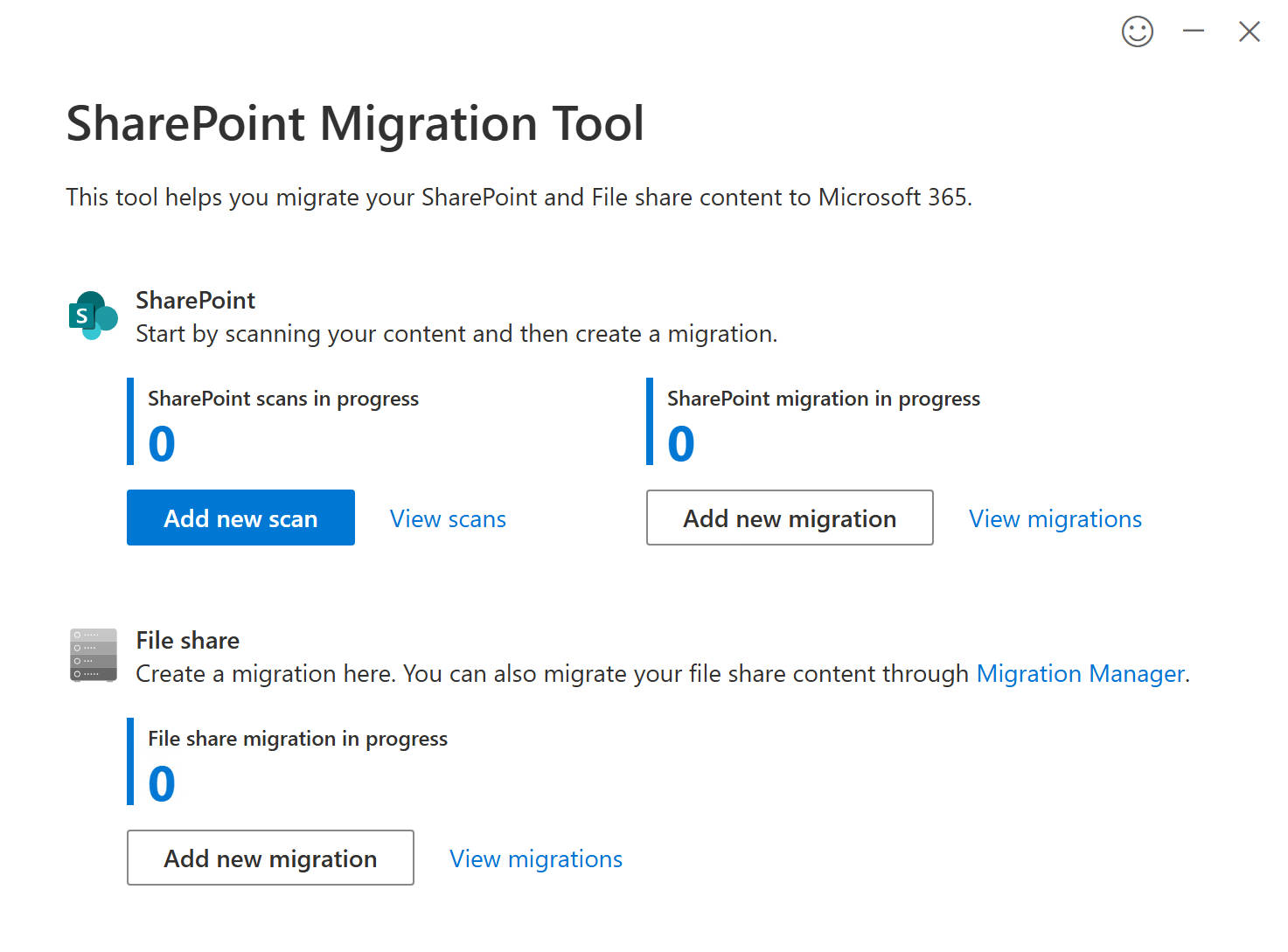 Figure13 SharePoint Migration Tool
Migration Workflow
Figure14 Migration Workflow
Migration Configuration
Migration job configuration included:
Source
SMB file share
\\srv-2019-file1\CorpData\Departments\IT

Destination
SharePoint Site
IT → Documents Library
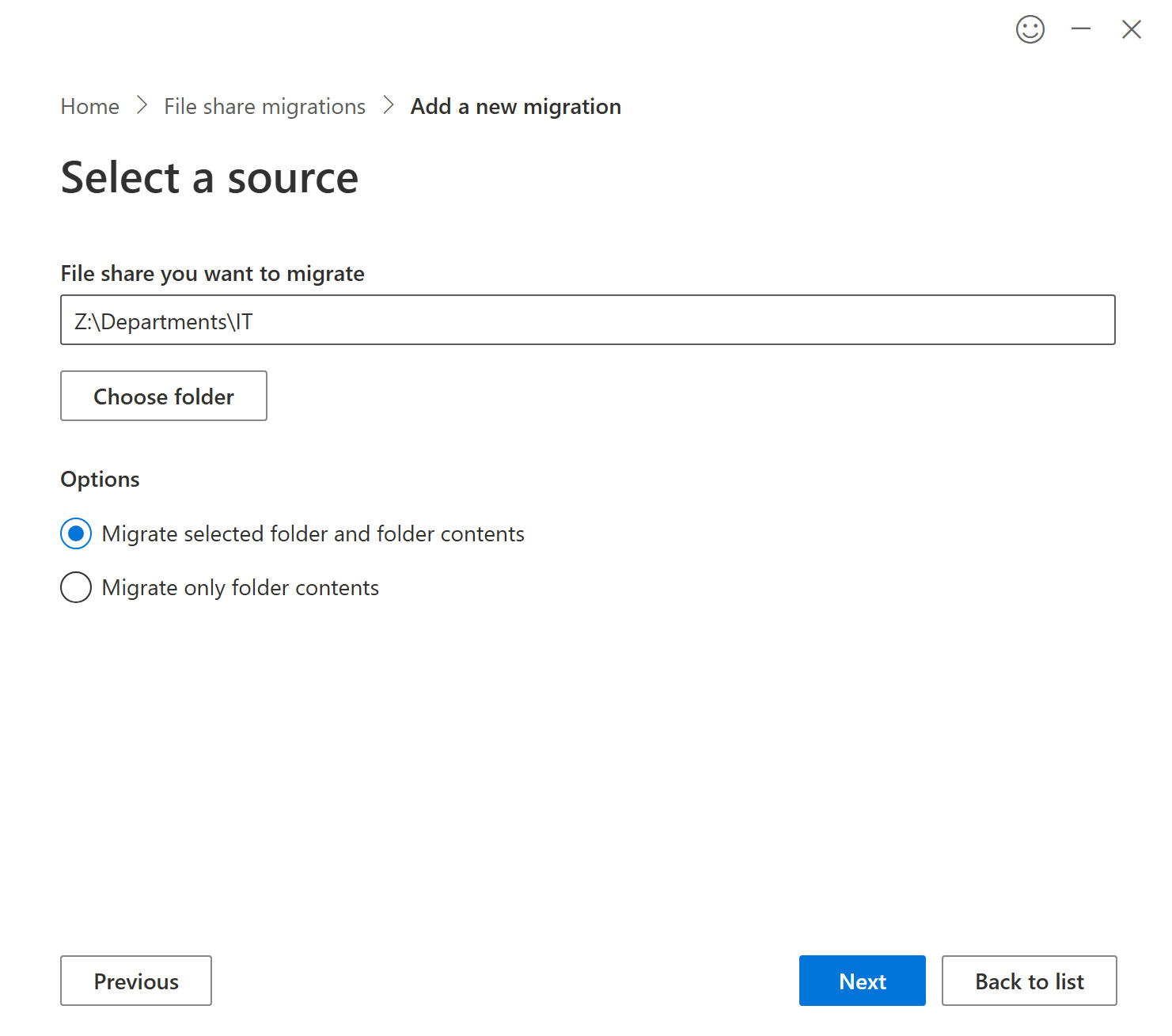 Figure15 SPMT source configuration
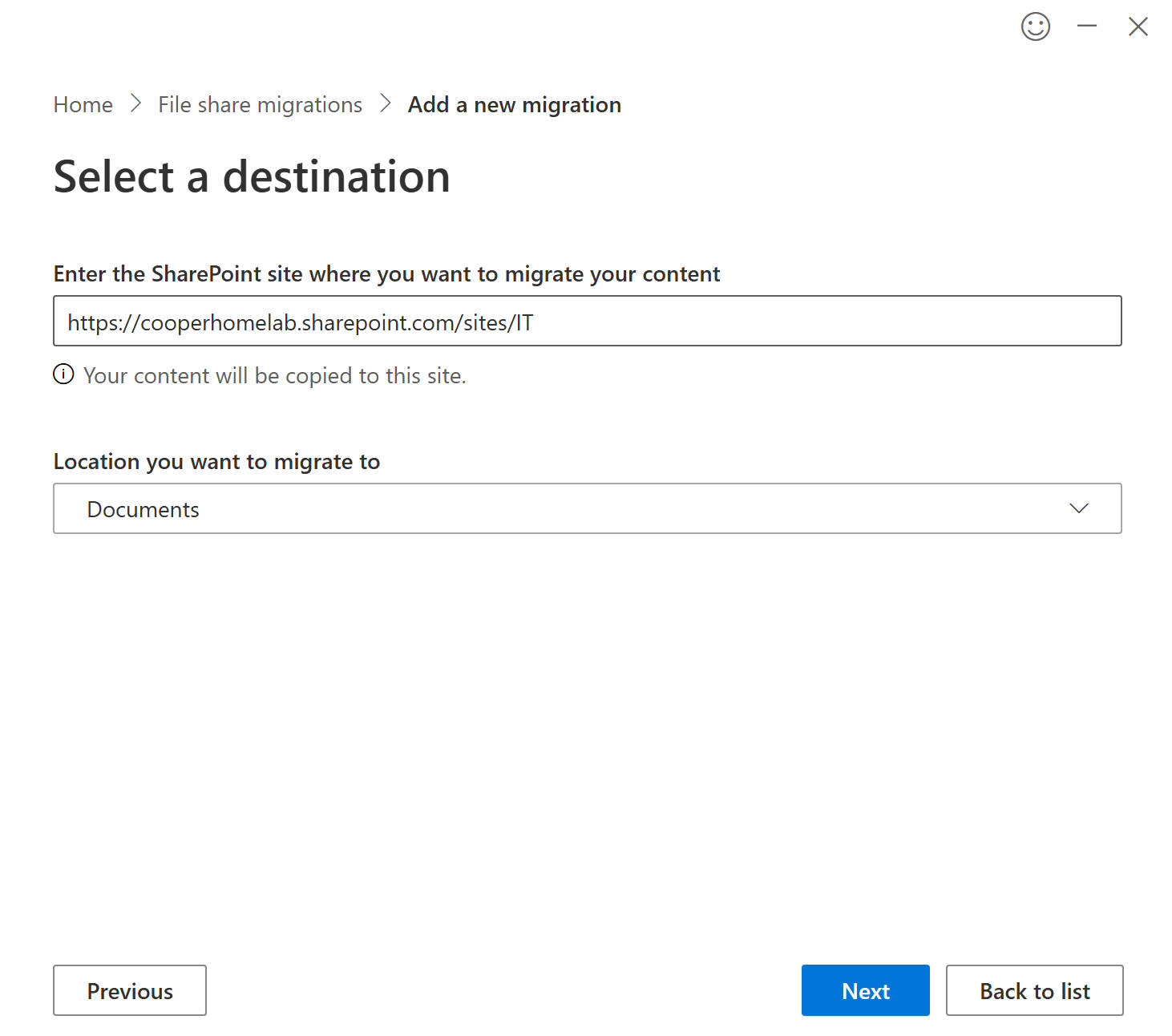 Figure16 SPMT destination configuration
SPMT settings used:
Automatic user mapping → Enabled
Preserve file share permissions → Disabled
Permission Strategy
File share permissions were not migrated directly.
Instead, access control was rebuilt using SharePoint groups linked to synchronized Active Directory security groups.
Permission flow:
User
↓
AD Security Group
↓
Entra ID Sync
↓
SharePoint Group
↓
SharePoint Site Permission
This model reflects Microsoft best practices for SharePoint environments.
13 Migration Validation
After migration, access validation was performed.
Validation steps:
• confirm files exist in SharePoint document libraries
• verify folder visibility
• validate permission inheritance
• test user access from different departments
Example test results:
IT user → can access IT site documents
HR user → cannot access IT site
This confirms correct permission mapping.
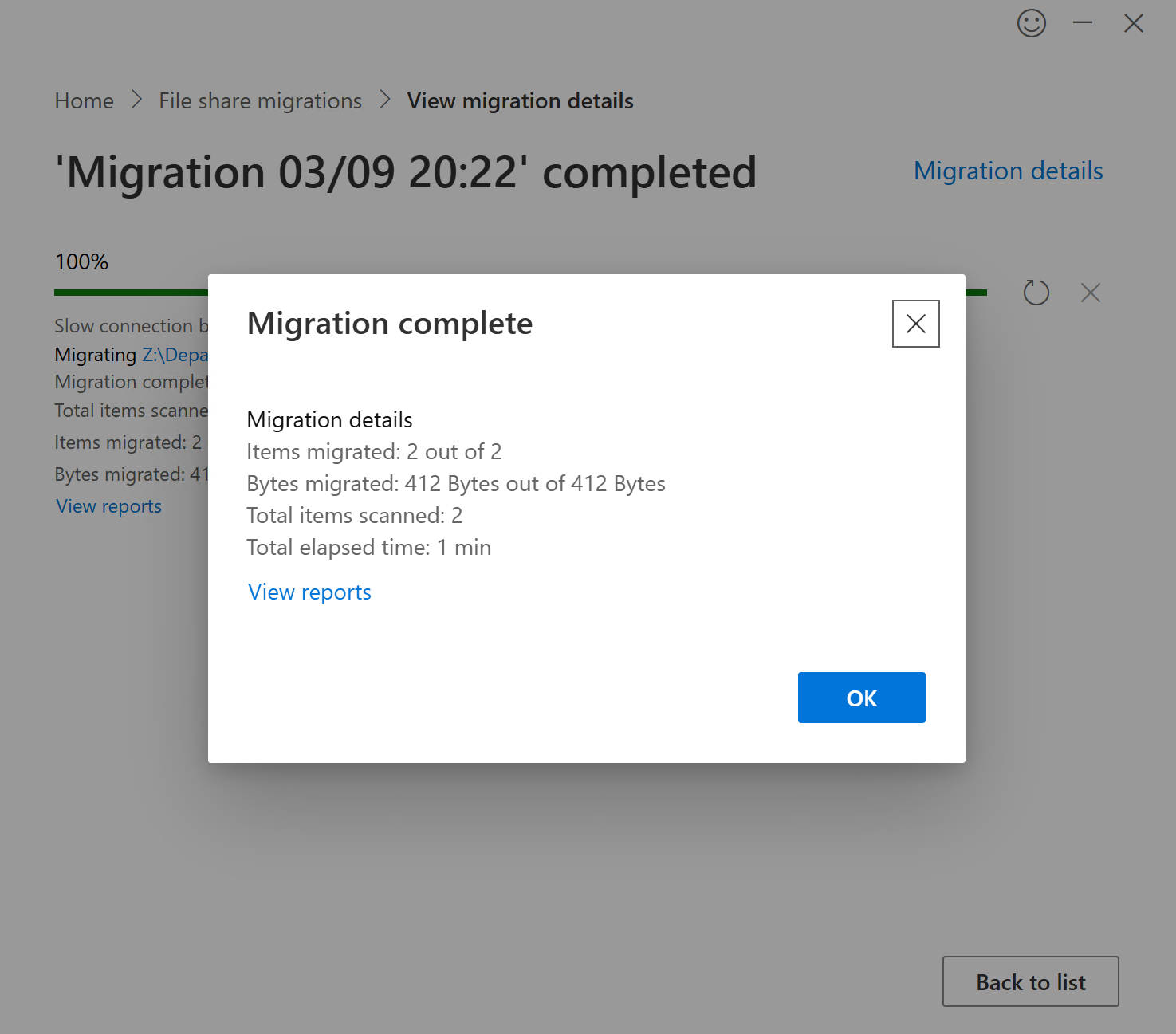 Figure17 Migration complete
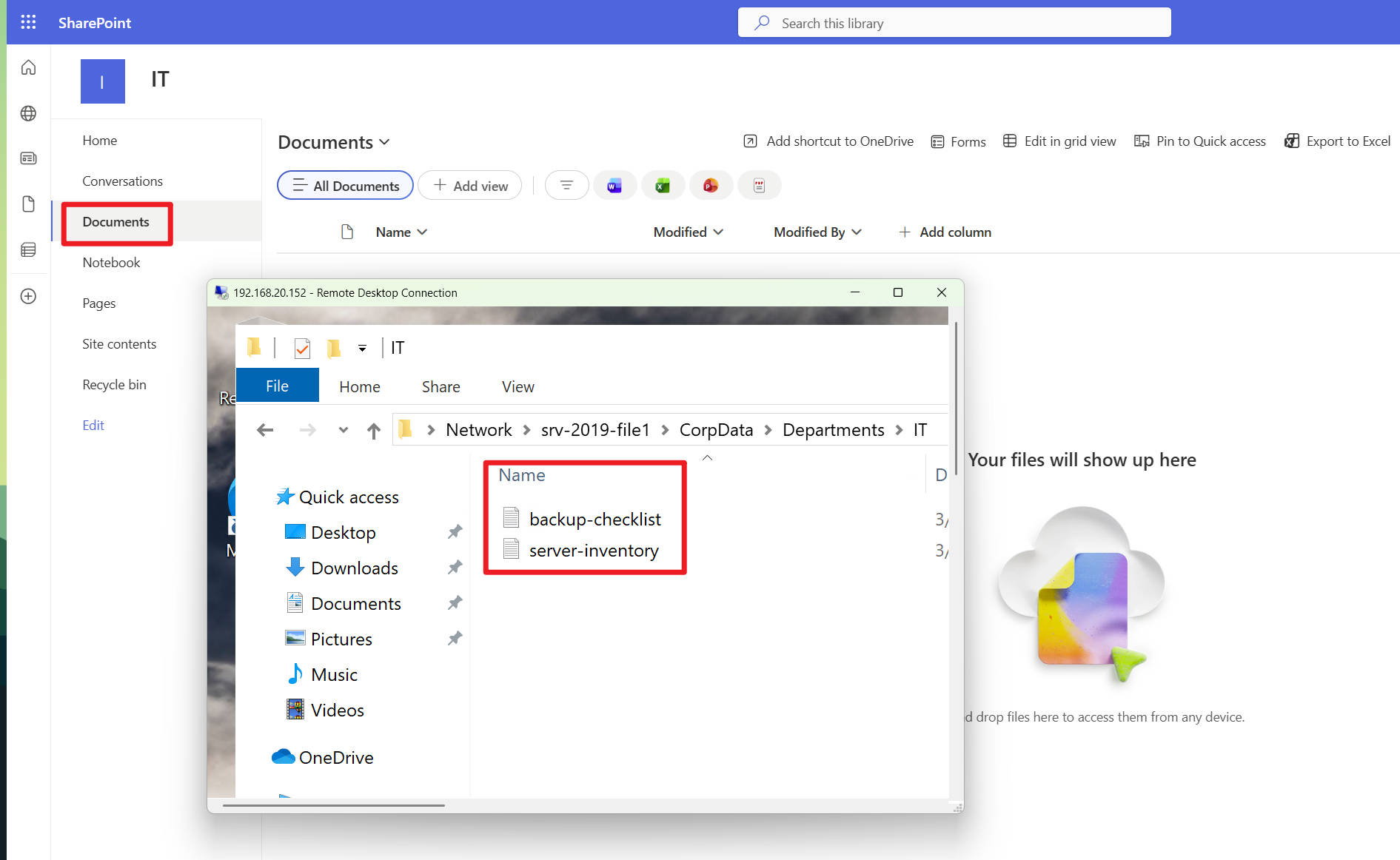 Figure18 No documents in SharePoint before migration
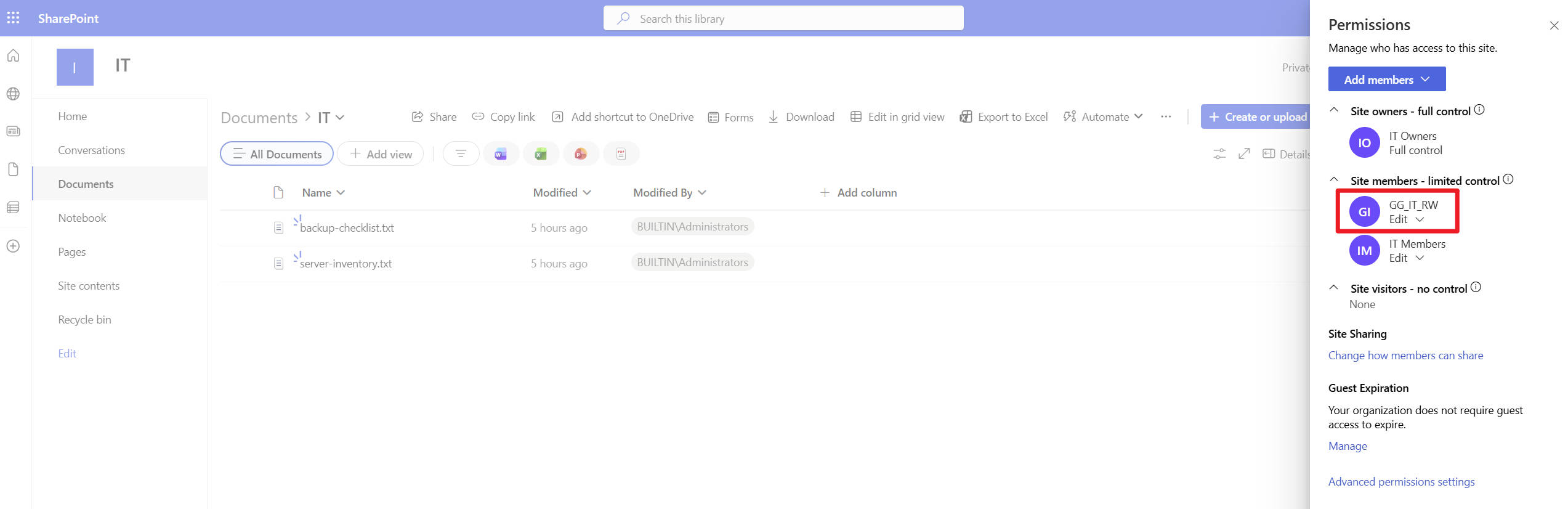 Figure19 Migration complete, checking group permissions
14 Migration Challenges
Several challenges commonly occur during file server migration.
NTFS Permission Complexity
NTFS permissions can become complicated due to:
• nested groups
• inheritance chains
• deny rules
These often require simplification before migration.
SharePoint Permission Limits
SharePoint performs best when:
• permissions inherit from site groups
• unique permissions are minimized
Excessive unique permissions can impact performance.
Identity Mapping
Successful migration requires consistent identity mapping across environments.
NTFS Identity
      ↓
Active Directory
      ↓
Entra ID
      ↓
SharePoint
Any mismatch may cause permission errors.
15 Lessons Learned
Key insights from this project:
Group-Based Access Control
Assigning permissions to groups simplifies administration and supports scalable migration.
Hybrid Identity Is Essential
Identity synchronization is critical for mapping users between environments.
SharePoint Uses Simpler Permission Models
NTFS permission structures often require redesign before migration.
Migration Is Not Just Data Transfer
Successful migrations require understanding:
• identity infrastructure
• permission architecture
• collaboration platform design
16 Future Improvements
Possible enhancements for this lab include:
• implementing Conditional Access policies
• integrating Microsoft Teams document libraries
• testing OneDrive Known Folder Move
• automating migrations with PowerShell
• simulating large-scale migration scenarios
17 Portfolio Impact
This project demonstrates practical experience in:
Active Directory infrastructure deployment
NTFS permission design and access-based enumeration
Hybrid identity integration using Microsoft Entra ID
SharePoint Online site architecture and permission model
Enterprise file server migration using SPMT
Migration validation and access verification
These capabilities are directly applicable to modern enterprise infrastructure and cloud migration projects.